MINI APSmall size. Huge reach. Connect everywhere.
MINI AP is a wireless access point product featuring Hyper Wi-Fi technology.
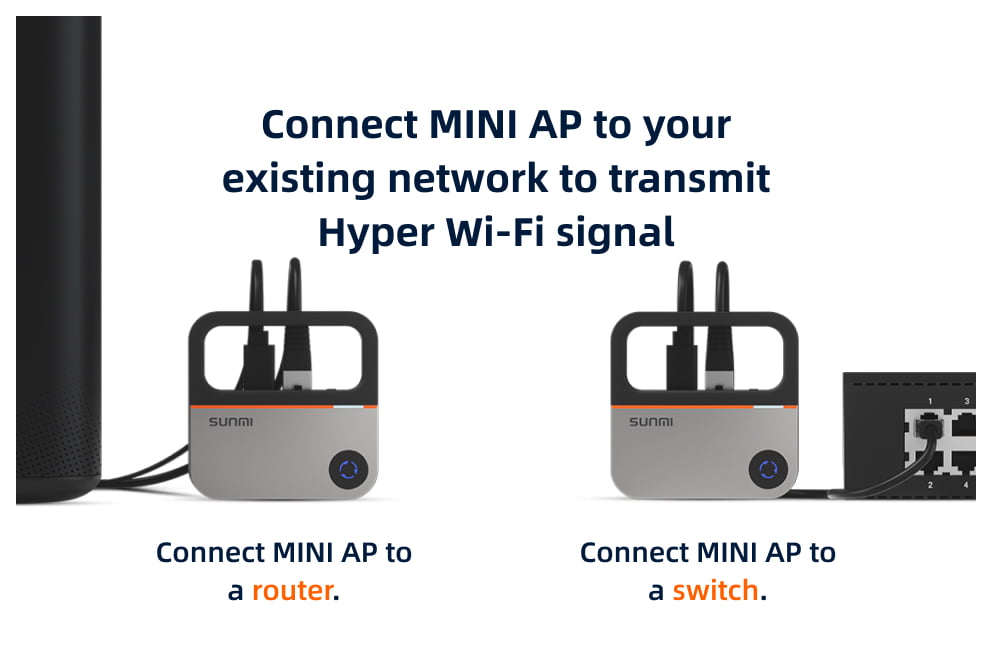
Simply Add MINI AP to Your Current Network Solution
Simply Add MINI AP to Your Current Network Solution
Connect Everywhere
Huge ReachSignal coverage extends to every corner of your factory warehouse.
Better PenetrationPenetrate walls for enhanced front and back-of-house communication.
High StabilitySeamless performance even amidst the electrical interference in nightclubs.
Farther, and More Stable
The Distance Other Wi-Fi Signals Can TravelBetter Wall Penetration
1KM
Maximum RangeThe Signal Can Cover a 2000m² Store
90%
Roaming TimesStable Connection, Anti-interference
64
Terminals Connected Simultaneously
Hyper Wi-Fi
*Data from internal laboratory tests. Distance data is straight-line communication distance collected from tests in open environments. *Due to local radio frequencies regulations in Europe and CE certification, suggest that the max number of device simultaneously connected through Hyper Wi-Fi shall not exceed 16 devices. This restriction applies to Europe.
Connect it with a terminal using a Type-C USB cable both for power and networking.*This feature requires a software update.
Switch easily between the AP/Transmitter Mode and the Client/Receiver Mode.
AP/Transmitter Mode
Client/Receiver Mode
Switch easily between the AP/Transmitter Mode and the Client/Receiver Mode.
AP/Transmitter Mode
Client/Receiver Mode
One-press Network Pairing
AP/Transmitter ModeClient/Receiver Mode
Usage Instructions
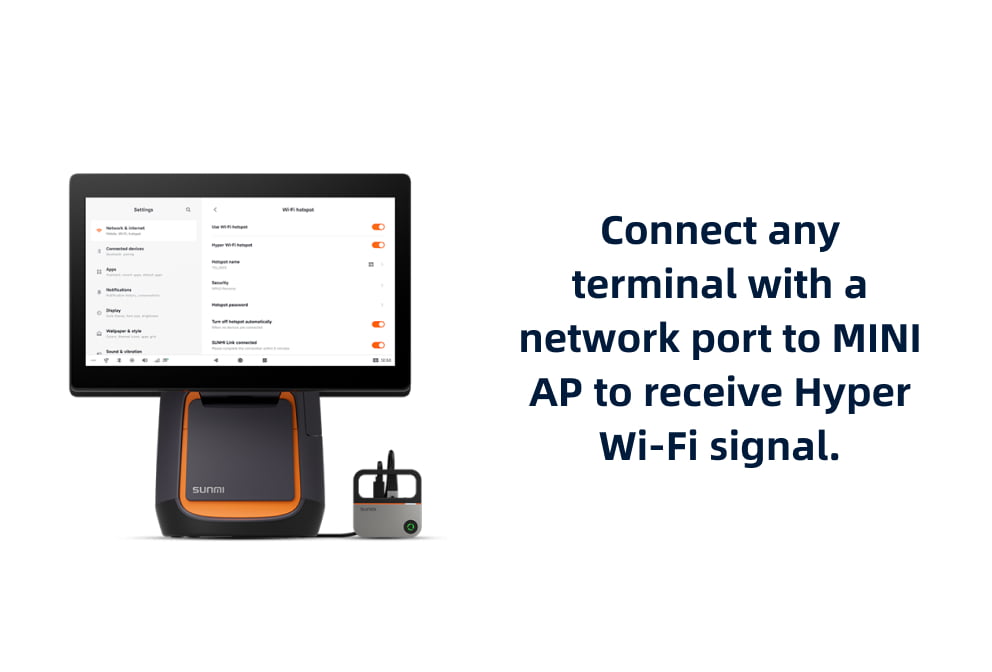
Use Hyper Wi-Fi with MINI APSupported by 2nd gen desktop terminals kiosks, IoT products.
Use Hyper Wi-Fi with MINI APSupported by 2nd gen desktop terminals kiosks, IoT products.
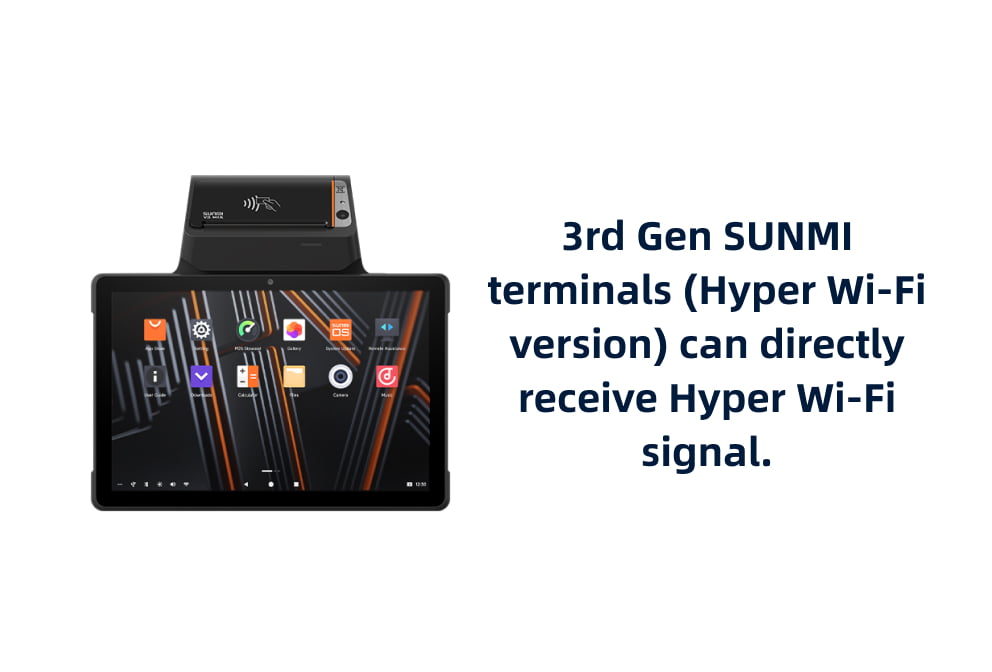
Hyper Wi-Fi insideHyper Wi-Fi available in 3rd gen products upon your request.
Hyper Wi-Fi insideHyper Wi-Fi available in 3rd gen products upon your request.
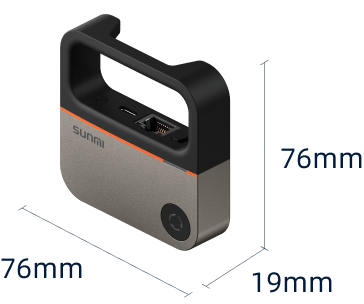
MINI AP Tech Specs
Product ModelFW020
OSLinux
Wireless Protocols802.11ah
Wireless FrequencySub 1GHz
AntennaA built-in antenna
Wireless Security ProtocolsSupports up to WPA3
Wireless Mode of OperationAP (Transmiter Mode) Client (Receiver Mode)
Power IndicatorFlashing white: The system is starting Solid white: The system is working normally
Wireless IndicatorAP (Transmiter Mode) Solid blue: Wireless is working properly Flashing blue: Waiting for the client to be connected
Client (Receiver Mode) Solid green: The AP is connected and the signal is good Flashing green: Searching AP signals Solid orange: The AP is connected and the signal is poor Off: The AP cannot be connected

 MINI AP is a wireless access point product featuring Hyper Wi-Fi technology.